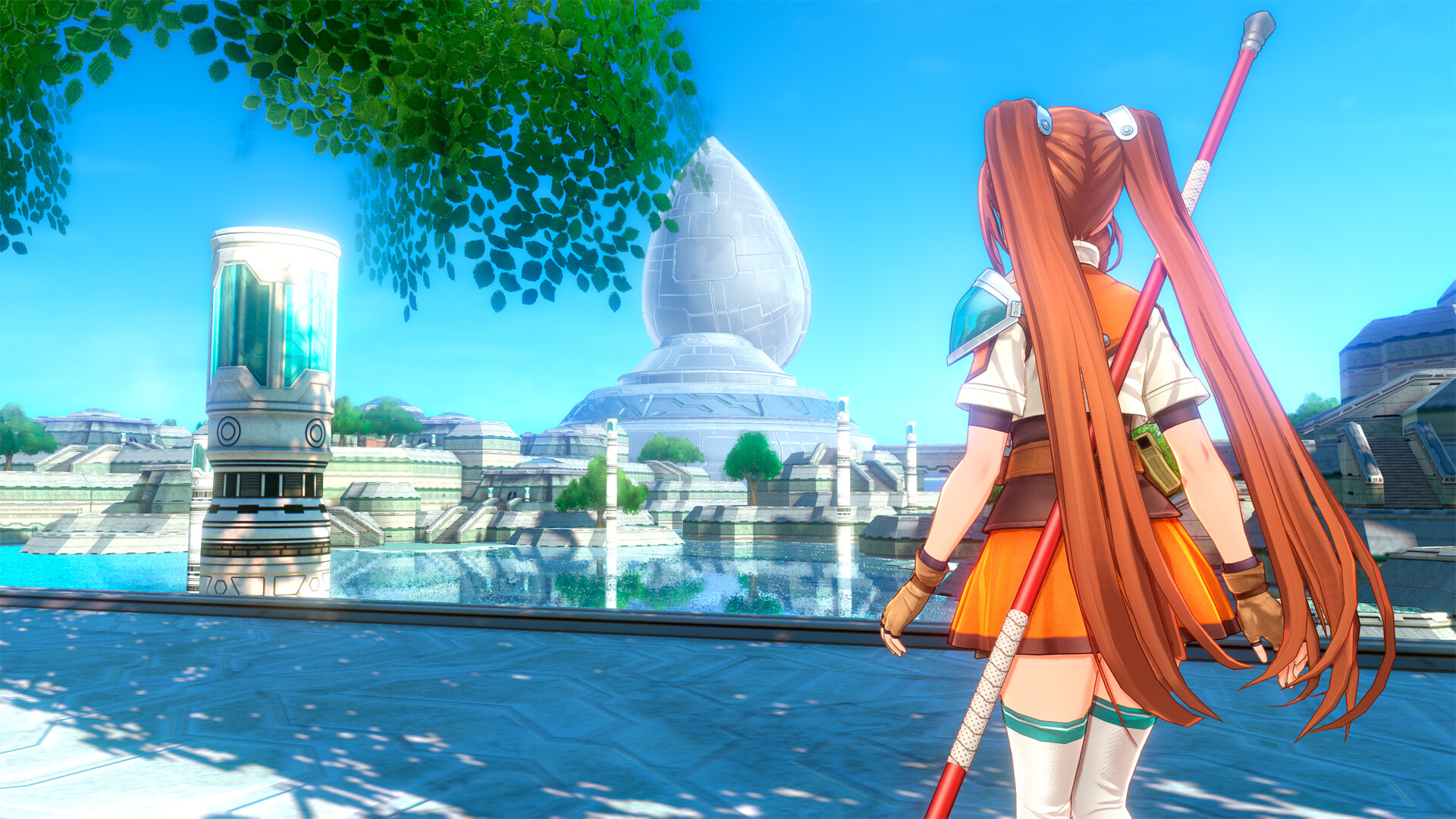
Mastering Trails in the Sky 2nd Chapter Viewer Mode Guide
Discover how to use the Trails in the Sky 2nd Chapter viewer mode to capture stunning screenshots and pose your favorite characters in this 3D remake.
Published:
Table of Contents
The long-awaited 3D reimagining of The Legend of Heroes: Trails in the Sky SC has finally arrived, bringing a fresh perspective to one of the most beloved RPGs of all time. Among its many technical upgrades and visual overhauls, the inclusion of the Trails in the Sky 2nd Chapter viewer mode stands out as a dream feature for virtual photographers and dedicated fans alike.
Why does this matter? For a game as character-driven as the Trails series, the ability to pause, inspect, and frame your favorite Bracers—or even the mysterious members of Ouroboros—in high-definition 3D is a game-changer. Whether you are looking to create the perfect desktop wallpaper or simply want to appreciate the intricate character model designs, this guide will walk you through everything you need to know about navigating this new creative tool.
What is the Trails in the Sky 2nd Chapter Viewer Mode?
The Trails in the Sky 2nd Chapter viewer mode is a dedicated photo-capture suite integrated into the remake. Unlike traditional cutscene viewers found in other titles, this mode offers a sandbox-style environment where you can manipulate character positioning, apply various costume items, and utilize accessories to set the scene.
According to early community reports, the mode is surprisingly robust, allowing players to insert even non-playable characters into the frame. This opens up endless possibilities for fan-made narratives and artistic compositions that were previously impossible in the original 2D-sprite-based release.
Core Features Overview
Feature
Functionality
Character Selection
Switch between party members and NPCs
Pose Manipulation
Adjust character stances and expressions
Costume Editor
Apply unlocked outfits and accessories
Environmental Control
Change backgrounds and lighting settings
Camera Tools
Adjust focal length, depth of field, and tilt
Getting Started: How to Access the Mode
To begin using the feature, you must first progress through the early stages of the story. While the game provides immediate access to basic character models, the full library of costumes and accessories is tied to your gameplay milestones.
Step-by-Step Access Guide
Open the Main Menu: Navigate to the "Extras" or "Gallery" tab from the pause menu.
Select Viewer Mode: Choose the Trails in the Sky 2nd Chapter viewer mode option from the list.
Choose Your Subject: Select a character from your roster. Note that you can only view characters you have encountered or unlocked in the story.
Configure the Scene: Use the D-pad or analog sticks to cycle through pre-set poses and camera angles.
Capture: Use your platform’s native screenshot function (PS5 Share button, Switch Capture button, or PC print screen) to save your work.
Unlockables Matter
Keep an eye on your Clear Data bonuses from the 1st Chapter remake. Players who carry over their save data may unlock exclusive accessories that can be equipped immediately within the viewer mode to customize your screenshots.
Advanced Composition Techniques
Taking a "good" screenshot is easy, but taking a "great" one requires an understanding of how to use the environment to your advantage. The Trails in the Sky 2nd Chapter viewer mode allows for granular adjustments that can drastically change the mood of your images.
Recommended Camera Settings
Setting
Purpose
Recommended Use
Depth of Field
Blurs the background
Use low values for dramatic character portraits
Focal Length
Zoom adjustment
High values for tight close-ups; low for wide vistas
Tilt/Roll
Camera angle
Use slight tilts to create a sense of action or tension
Community experts often recommend pairing specific outfits with thematic backgrounds. For example, placing Estelle in her signature Bracer uniform against a sunset background in the Liberl capital adds a sense of gravitas that perfectly captures the tone of the SC narrative.
Why Characters Look Different: Customization Tips
One of the most exciting aspects of the Trails in the Sky 2nd Chapter viewer mode is the ability to see characters who were traditionally relegated to static portraits in the original game. Characters like Aina Holden, Kilika Rouran, and Elnan have been fully modeled in 3D, and the viewer mode allows you to examine these models in detail.
Common Customization Errors to Avoid
Ignoring Lighting: Always check the lighting source in your chosen background. If the character looks "flat," try rotating the camera until the light source hits their face.
Clashing Accessories: Some accessories may clip through character hair or gear. If a piece of equipment looks awkward, toggle it off to keep the character's silhouette clean.
Overlooking Non-Playables: Don't limit yourself to the main cast. The developers have included high-fidelity models for secondary characters, which are often overlooked by players focusing solely on Estelle or Joshua.
For more technical details on the game's engine and performance, you can check out the official Nihon Falcom website for the latest updates.
Engaging with the Community
The Trails community is incredibly active, and the Trails in the Sky 2nd Chapter viewer mode has already sparked a wave of creative content on social media. Many players share their best shots using specific hashtags. Participating in these community threads is a great way to learn new posing tricks or to find out which rare accessories are hidden in the game.
Best Practices for Sharing
High Resolution: If playing on PC, ensure your internal resolution settings are set to maximum before taking the screenshot.
Contextualize: Share your shots with a brief description of the scene—did you recreate a classic moment, or are you showing off a new outfit?
Credit the Source: If you are inspired by someone else’s composition, be sure to tag them.
Frequently Asked Questions (FAQ)
Can I use the Trails in the Sky 2nd Chapter viewer mode at the start of the game?
Yes, but your options will be limited. As you progress through the story and unlock more characters, costumes, and accessories, they will automatically become available in the viewer mode.
Does the viewer mode allow me to change the time of day?
While you cannot manually adjust the clock in the way you might in an open-world game, you can select from various environmental presets that feature different lighting conditions, such as sunset, night, or midday.
Are there any spoilers in the viewer mode?
Be careful! If you haven't finished the game, viewing certain characters or their late-game costumes in the menu might reveal spoilers regarding their roles or character arcs. Proceed with caution if you are sensitive to plot reveals.
Can I use the viewer mode to unlock items?
No, the viewer mode is strictly for photography and appreciation. It does not provide gameplay advantages or in-game items; it is purely a creative tool for the fans.